Use your production camera
Bring the camera picture into YRStar and monitor the multi-host composition.
YRStar does not replace TikTok LIVE Studio. It prepares the multi-host picture, beauty effects and gameplay visuals, then provides the finished output as a virtual camera source.
Apply for Beta Access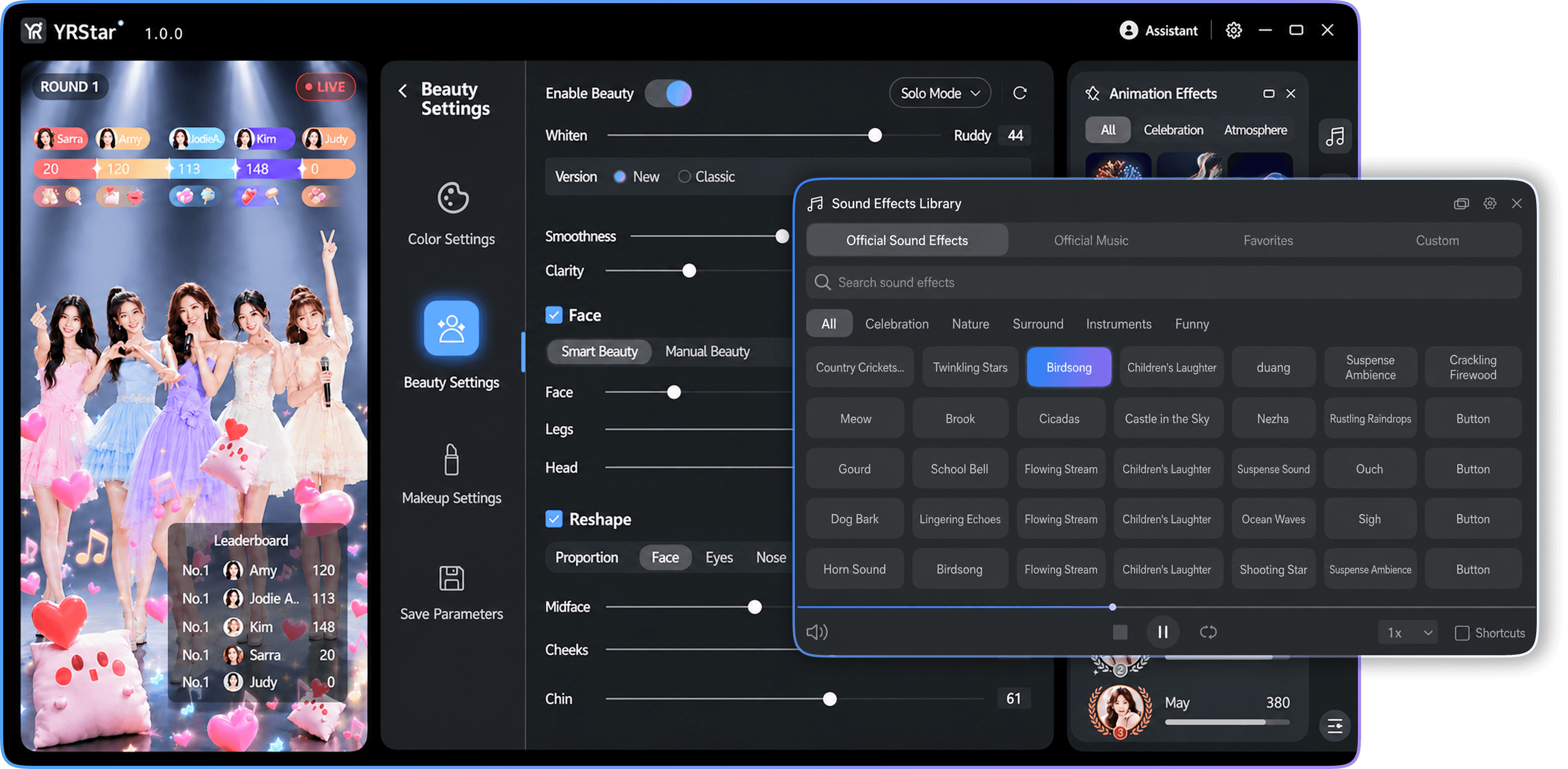
Your team continues to use TikTok LIVE Studio for the live broadcast. YRStar sits earlier in the video workflow, where the operator can prepare the room image and interactive gameplay in a workspace designed for Group Live.
Bring the camera picture into YRStar and monitor the multi-host composition.
Apply beauty settings, visual effects and the selected gameplay format.
Choose the YRStar virtual camera as the camera source in TikTok LIVE Studio.
YRStar works with TikTok LIVE Studio through a standard virtual camera workflow. It should not be interpreted as an official partnership or endorsement.
The current beta prioritizes Windows desktop. Confirm the exact version and device requirements with the YRStar team before testing.
Yes. Camera, virtual camera, audio and output composition should be verified whenever the production environment changes.
Tell us about your team, region and current live workflow. We will help you evaluate YRStar with TikTok LIVE Studio.
Apply for Beta Access